
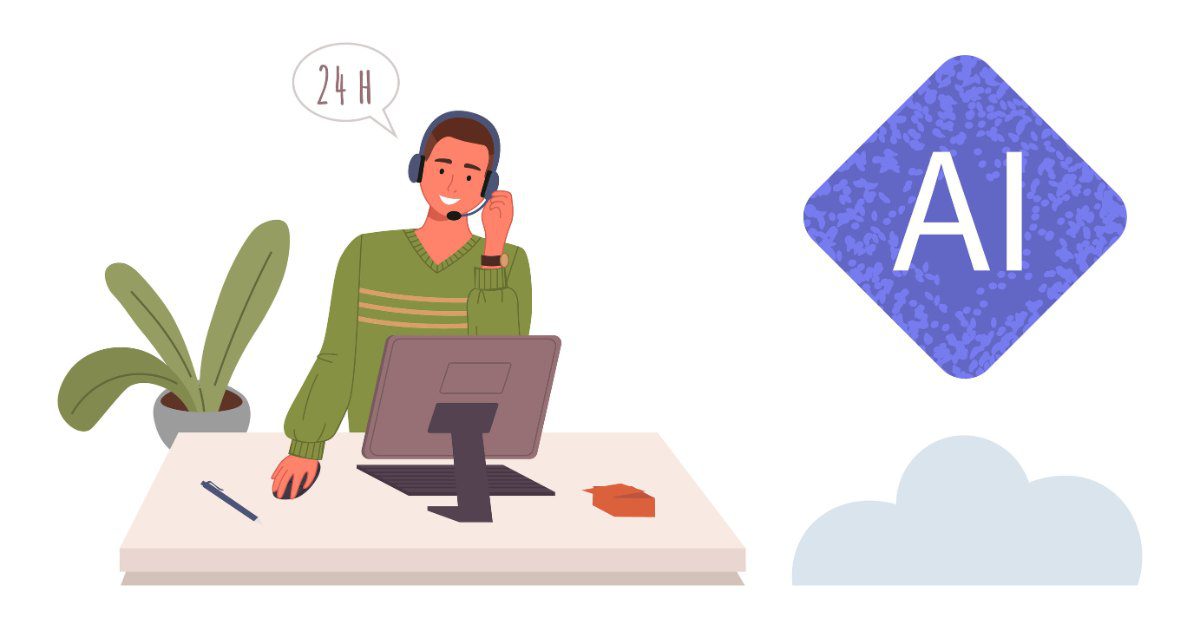
With Always Answer, you don’t have to choose between AI and people. Our AI answering service comes with live backup: Callie, our AI receptionist, answers your calls first and handles the routine ones. When a caller needs a person, one of our live agents is right behind her.
We call it AI first, people right behind. Here’s why it works, how a call moves from Callie to a live agent, and how to set it up for your business.
Why do AI-only and people-only setups both leave gaps?
AI-only coverage can leave callers stuck when a call needs judgment. People-only coverage puts a person on every call, including the simple ones software could handle.
An AI-only setup is fast and always on, but every system has limits. A caller who is upset, has an unusual problem, or just wants a person can hit a dead end. They may hang up and call someone else.
A people-only setup handles every kind of call well. But many calls are the same few questions: “Are you open Saturday?” “Where are you located?” “Can I book for Tuesday?” Putting a trained agent on each of those uses time that could go to the calls that need a person.
Combining the two closes both gaps. AI takes the routine calls, and people take the rest.
How does AI with live backup work?
Callie answers every call first and hands off to a live agent only when the call needs one. Here’s how a call moves through the system:
- Callie answers with your greeting, at any hour.
- She handles the routine call: answering a question, booking an appointment, or taking a message.
- She hands off when a caller needs a person. That happens when the caller asks for one, when the call type calls for one based on your rules, or when Callie can’t help.
- A live agent handles the call and follows your script, from taking a detailed message to dispatching an urgent call to your on-call staff.
- You get the details by phone call, text or email, based on how you want to hear about each type of call.
Our AI receptionist can also transfer calls straight to you or your staff when that’s the right next step.
What does Callie handle, and what do our agents handle?
Callie handles the calls that follow a pattern. Our live agents handle the calls that need judgment. Here’s how a typical split looks:
| Call | What Callie does | What a live agent does |
|---|---|---|
| “Are you open Saturday?” | Answers from your hours | Not needed |
| Booking an appointment | Books it through calendar integrations | Helps if the request is complicated |
| New customer inquiry | Captures the details and syncs them with your CRM | Takes over if the caller has detailed questions |
| Caller asks for a person | Hands off the call | Takes the call |
| Urgent problem, like a burst pipe or no heat | Hands off, based on your rules | Follows your escalation steps |
| Upset caller | Hands off the call | Listens and helps |
Every business is different, so your split will be, too. A property manager might have Callie share leasing information and send maintenance emergencies to an agent. A contractor might have Callie book tune-ups while agents handle no-heat calls, like the setup in our HVAC answering service guide.
How do you set your handoff rules?
You decide which calls Callie keeps and which go to a person. We set these rules with you during setup. Start with these questions:
- Which calls should always go to a person? Emergencies, complaints and high-value sales calls are common choices.
- What should Callie say before a handoff? A short line like “Let me connect you with someone who can help” keeps the caller at ease.
- Who should hear about each type of call, and how? Urgent calls might go to your on-call phone, while routine messages go to email.
- What changes after hours? You might send more calls to a live agent at night, or route urgent ones to your on-call staff.
Your rules can change as your business does. If a new call type shows up often, let us know, and we’ll update how it’s handled.
Who is AI with live backup a good fit for?
AI with live backup fits any business that gets a mix of simple and complex calls. That’s most of them. It’s especially useful if:
- You get a lot of routine calls that interrupt your team
- Calls come in after hours, when a person should still be reachable for urgent ones
- Your call volume spikes at certain times of year
- You like the idea of AI but worry about callers getting stuck with a bot
Our 24/7 live agents are there around the clock, so a caller who needs a person can reach one at 2 a.m. as easily as at 2 p.m. If you’re still deciding which kind of coverage you need, start with AI receptionist vs. answering service vs. virtual receptionist. For a closer look at what AI can and can’t do on its own, read what is an AI receptionist?
Frequently asked questions
Do callers have to ask for a person to reach one?
No. Callie also hands off a call when the call type calls for a person under your rules, or when she can’t help with the request.
Are your live agents available 24/7?
Yes. Our live agents answer 24 hours a day, 7 days a week, including holidays.
Can Callie send calls to me instead of an agent?
Yes. Callie can transfer calls to you or your staff, and you decide which calls should come to you.
Do I need a long-term contract?
No. Callie’s plans have no annual contracts. Our live answering has no long-term contracts either; if your needs change, we just ask for 30 days’ written notice.
How much does AI with live backup cost?
It depends on your call volume and how your calls split between Callie and our agents. Run your own numbers with our ROI calculator, or get a quote based on your calls.
Hear Callie, then try both
Listen to Callie’s call samples on our AI receptionist page. Then try Always Answer free for 7 days, with a simple Callie setup and our live agents behind her. Or get a quote for your business.